

Move a key to another site
A key is active on as many sites as your plan allows. To use it somewhere else, free a seat first, in either place:
- On the old site: open the plugin’s License card and choose Deactivate.
- From your account: at store.zealden.com, open My Account › Licenses, find the site under Sites using this license and choose Remove. Use this when the old site is gone. If it’s still running, its License card says the site was removed the next time it checks for updates, or at once after Dashboard › Updates › Check again.
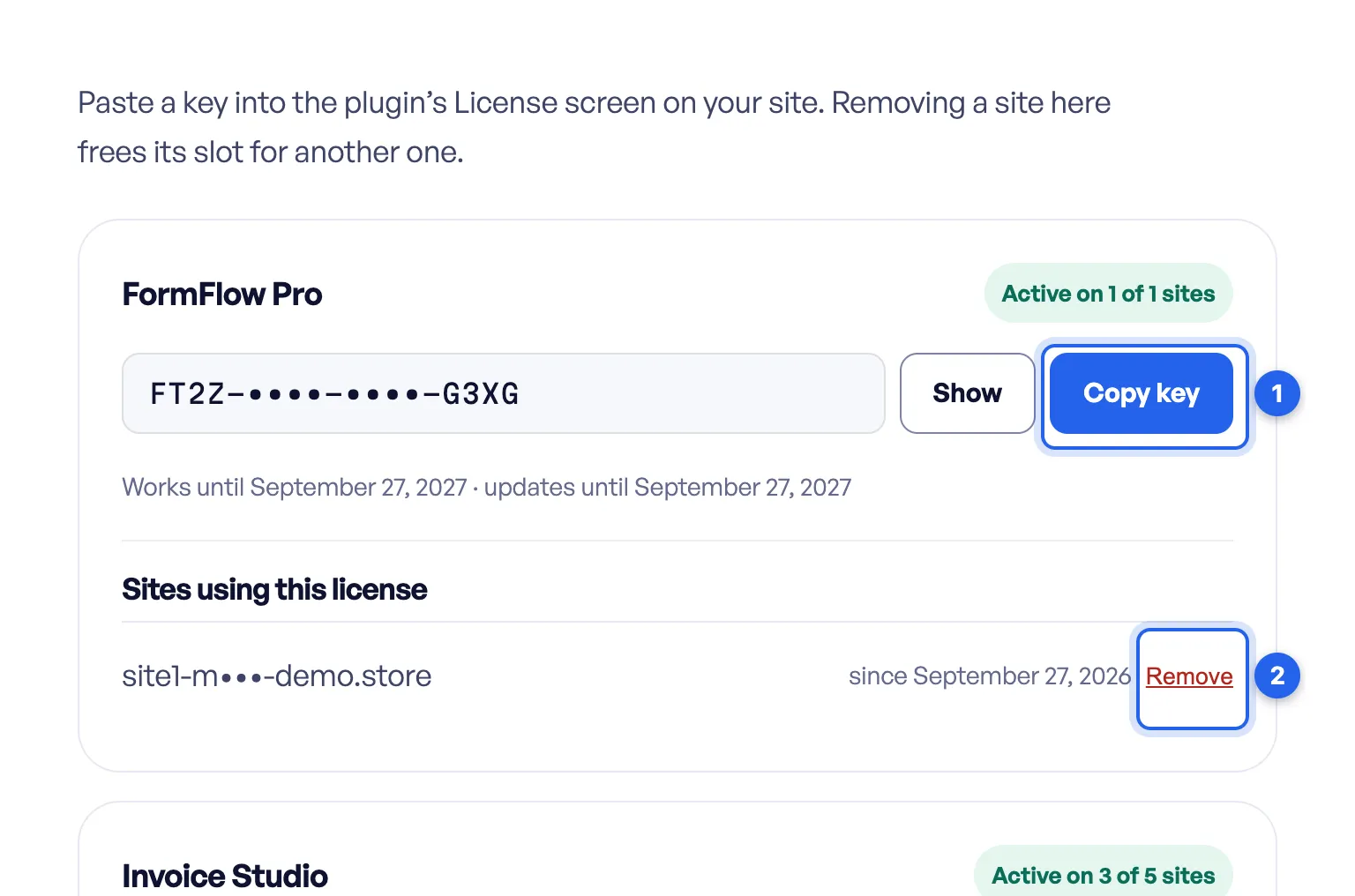
2 Remove, next to the site under Sites using this license. Keys and site addresses are masked in this screenshot.
Then activate the key on the new site.
A seat belongs to the site’s random ID, which lives in its database, not to its address. If you move a site with its database, it keeps its seat, and your account still lists the old address. If you set up the new site from scratch, free the old seat first.
Checked against ZealDen Sell Your Plugins 1.1.4 on main, 19 October 2026.