

Set up Safe Media Offload
-
Create a bucket with your storage provider and make its files publicly readable. On Cloudflare R2, connect a custom domain to it.
-
Create an access key limited to that bucket. On R2, an Account API token with Object Read & Write.
-
Fill in Settings › Safe Media Offload. Pick the provider, enter what it asks for, the bucket, the keys and, if you have one, a delivery domain. Save, then click Test connection.
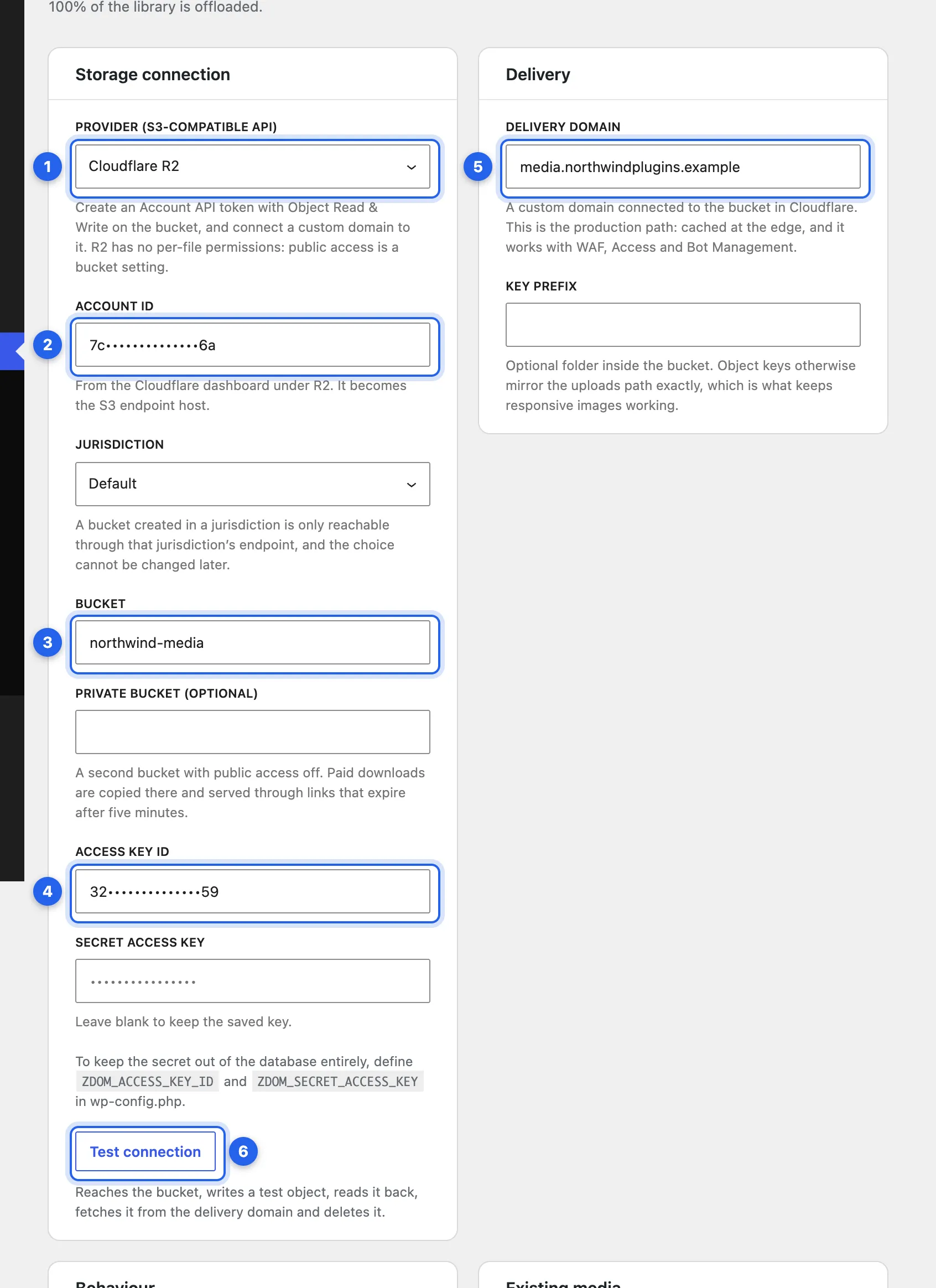
1 Provider. 2 Account ID (R2 only). 3 Bucket. 4 The access key. 5 Delivery domain. 6 Test connection. Keys and IDs are masked in this screenshot.
-
Once the test passes, new uploads are copied to the bucket. Turn on Serve media from the provider to point their URLs there, and start Offload existing media to move the rest of the library.
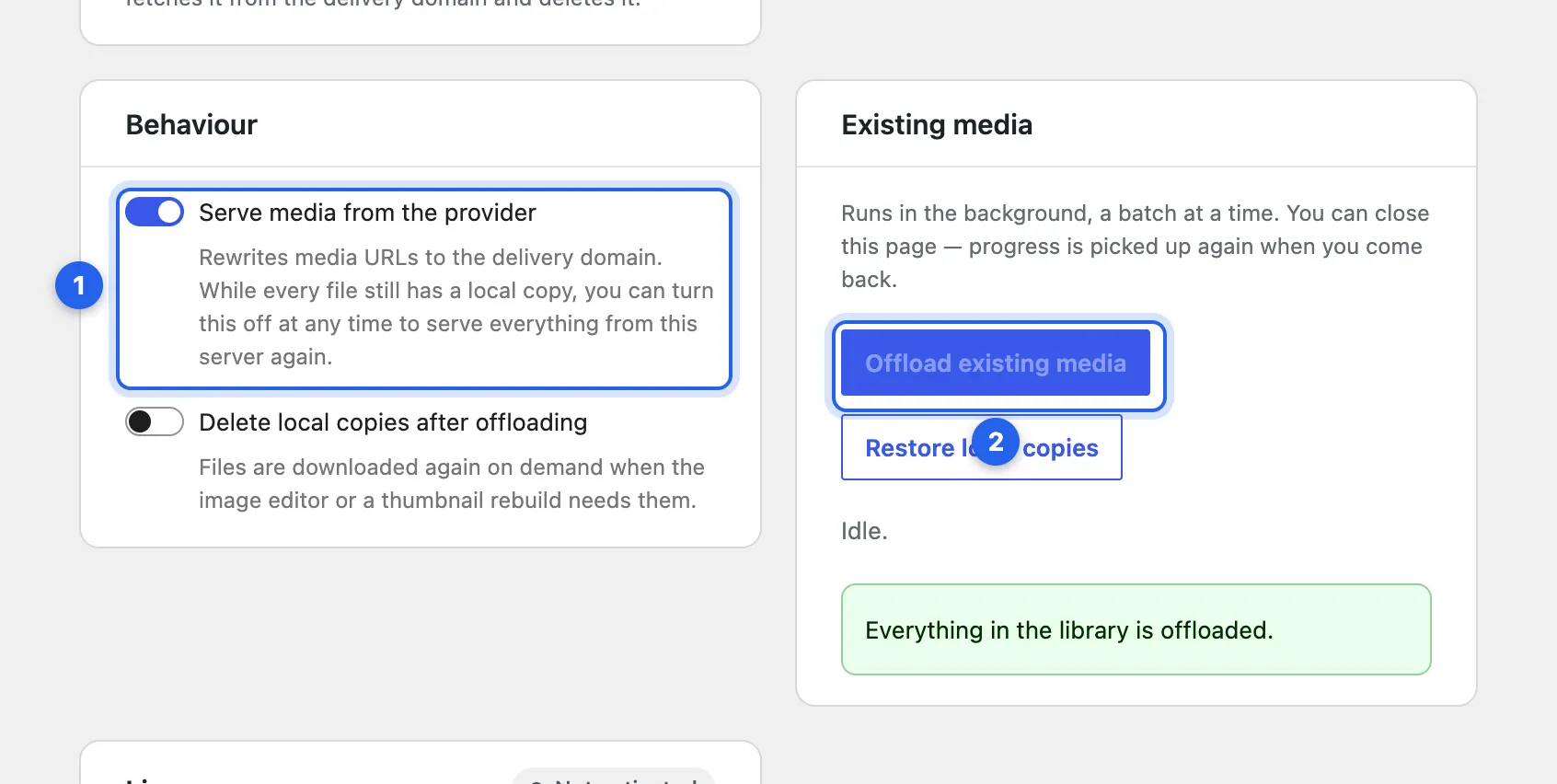
1 Serve media from the provider. 2 Offload existing media.
Step-by-step for R2: Connect Cloudflare R2. For the others: Amazon S3 and other providers.
Keep the keys out of the database
Section titled “Keep the keys out of the database”Define them in wp-config.php. Constants win over anything stored, and the fields become read-only:
define( 'ZDOM_ACCESS_KEY_ID', '…' );define( 'ZDOM_SECRET_ACCESS_KEY', '…' );Settings
Section titled “Settings”| Setting | What it does |
|---|---|
| Provider (S3-compatible API) | The storage service. |
| Account ID, Jurisdiction | Cloudflare R2 only. |
| Region | Every provider but R2 and Google Cloud Storage. Optional for a custom endpoint. |
| Endpoint, Path-style requests | A custom endpoint, such as MinIO, only. |
| Bucket | The bucket’s name. |
| Access Key ID, Secret Access Key | The key for the bucket. Read-only when set in wp-config.php. Leave the secret blank to keep the saved one. |
| Make uploads public (public-read ACL) | Sends a public-read ACL with each upload, for providers that use object ACLs. |
| Delivery domain | A custom domain or CDN in front of the bucket. Required on R2. |
| Key prefix | Optional folder inside the bucket, useful when several sites share one. |
| Private bucket (optional) | A second bucket with public access off, for paid downloads. See Paid downloads. |
| Serve media from the provider | Rewrites media URLs to the bucket. Can only be turned off while every file still has a local copy. |
| Delete local copies after offloading | Off by default. Needs Serve media from the provider. |
Enter your license key
Section titled “Enter your license key”Under Settings › Safe Media Offload, in the License card at the bottom. See Activate a key.
Checked against ZealDen Safe Media Offload 1.0.3 on main, 19 October 2026.