

Activate a key
Each plugin has a License card in its own settings. Until you save a key, the Plugins screen shows an Enter license key link that takes you there.
| Plugin | License card |
|---|---|
| Track Them All | Settings › Track Them All › License |
| Safe Media Offload | Settings › Safe Media Offload, at the bottom |
| Sell Your Plugins | WooCommerce › Licenses › Settings, at the bottom |
| Payments via Polar | WooCommerce › Settings › Payments › Polar.sh, at the bottom |
| Payments via Polar for EDD | Downloads › Settings › Payments › Polar, the License field (activated when you save) |
-
Copy your key from your order email or from My Account › Licenses at store.zealden.com.
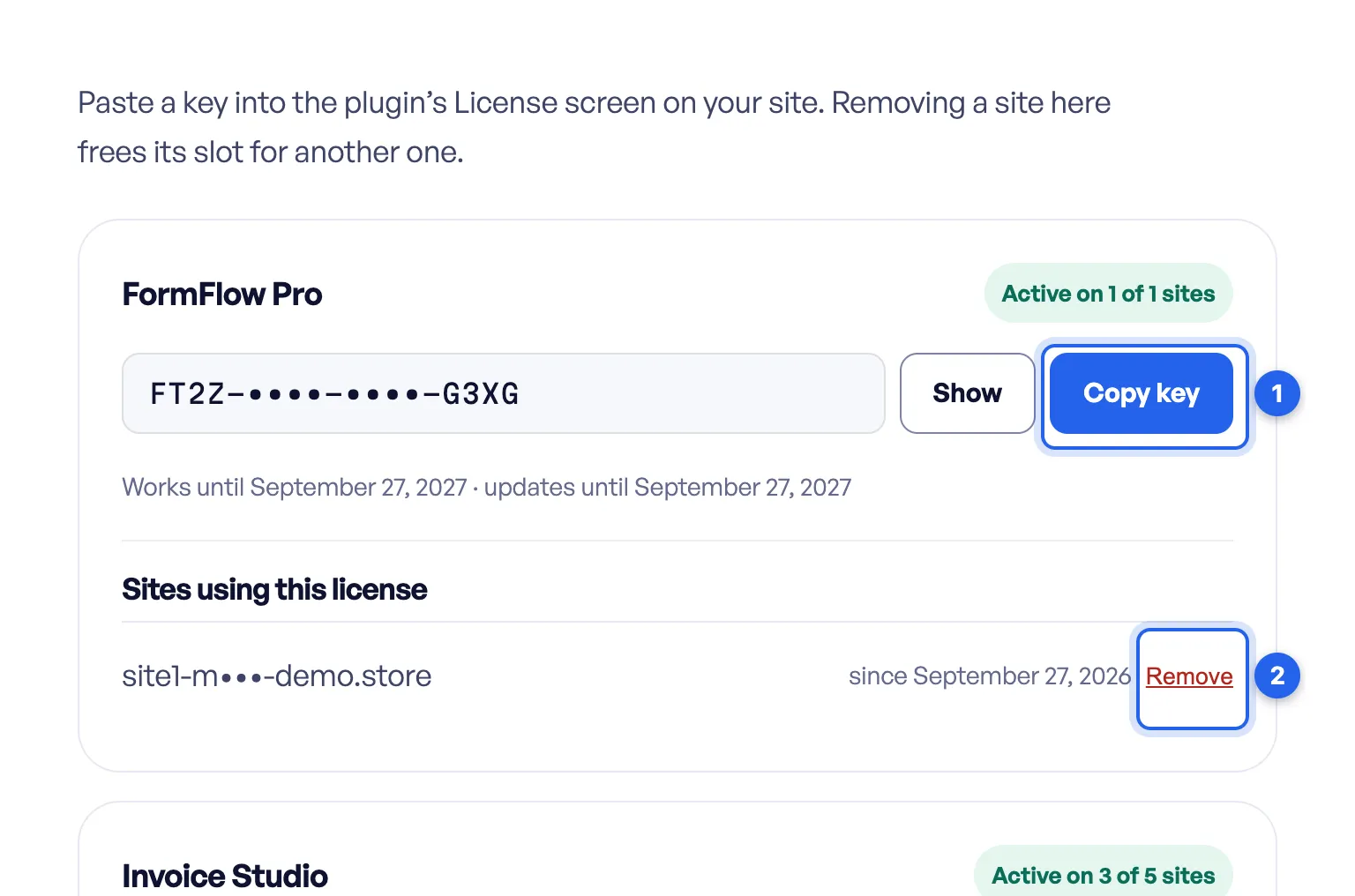
1 Copy key. 2 Remove frees a site’s seat. Keys and site addresses are masked in this screenshot.
-
Paste it into License key in the plugin’s License card, and activate it.
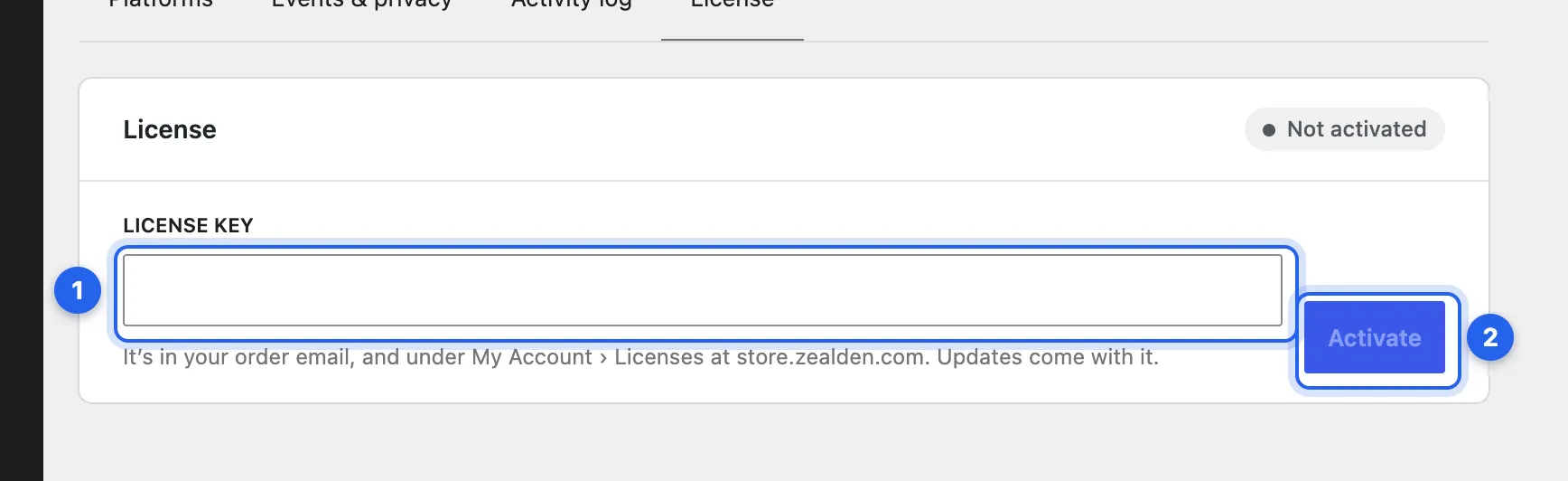
1 License key. 2 Activate. This is Track Them All’s; the others look the same.
-
The site takes one of your plan’s seats, and updates arrive on the Plugins screen like any other plugin’s.
Each key belongs to one plugin. If you own several, My Account › Licenses names the plugin above each key: use Track Them All’s key in Track Them All, Safe Media Offload’s in Safe Media Offload, and so on. A key pasted into the wrong plugin is refused, and the card says which plugin it’s for.
If every seat is taken, the card says so. Free a seat on another site first: see Move a key to another site.
If the card says the ZealDen store couldn’t be reached, the reason follows in brackets: a connection error such as a timeout, or “HTTP 503” while the store is briefly updating. The plugin asks again after ten minutes. If it persists, send us the card’s message: see Support.
Getting updates
Section titled “Getting updates”Once a key is active, new versions appear under Dashboard › Updates and on the Plugins screen, and install like any other plugin’s update. View details shows what changed and which WordPress and PHP versions the new version needs. WordPress looks for updates about twice a day. To look now, open Dashboard › Updates and choose Check again.
A site gets updates only while it holds one of the key’s seats and your plan includes updates. When the plan has ended, the plugin keeps working and the License card offers Renew: see Renew, cancel or change plan.
What activating sends
Section titled “What activating sends”Nothing is sent before you enter a key. Activating sends the key, your site’s address, a random ID for this site and the name of the plugin’s main file. Deactivating sends the key and that ID. After that, about twice a day, the site sends store.zealden.com the key, its address, that ID, the plugin’s main file name and the WordPress, PHP and plugin versions it runs, to check for updates.
To point a site at another store, a staging copy of store.zealden.com for example, define ZEALDEN_STORE_API in wp-config.php or use the zealden_store_api_url filter. Every ZealDen plugin reads it.
Checked against Track Them All 1.0.5, ZealDen Safe Media Offload 1.0.3, ZealDen Sell Your Plugins 1.1.4, Payments via Polar for WooCommerce 1.2.3 and Payments via Polar for Easy Digital Downloads 1.0.0 on main, 19 October 2026.