

Set up Payments via Polar
-
Create an Organization Access Token in Polar with the scopes
checkouts:write,products:read,products:write,orders:readandrefunds:write. To sell subscriptions, addsubscriptions:read,subscriptions:writeandcustomer_sessions:write. Addwebhooks:writeif you want the plugin to set up the webhook for you. -
Add the webhook. See Webhooks. Polar isn’t offered at checkout until the environment has a webhook secret.
-
Do both again in Polar’s sandbox organization. It’s completely separate.
-
Enter both sets in WooCommerce › Settings › Payments › Polar.sh, on the Live and Sandbox tabs, and save. Then use Test connection on each. If no one-time product is set yet, it creates one first. It checks the product, checks the token can read orders, and creates a throwaway checkout in your store’s currency. Leave Test mode on until you’ve taken a sandbox payment from start to finish.
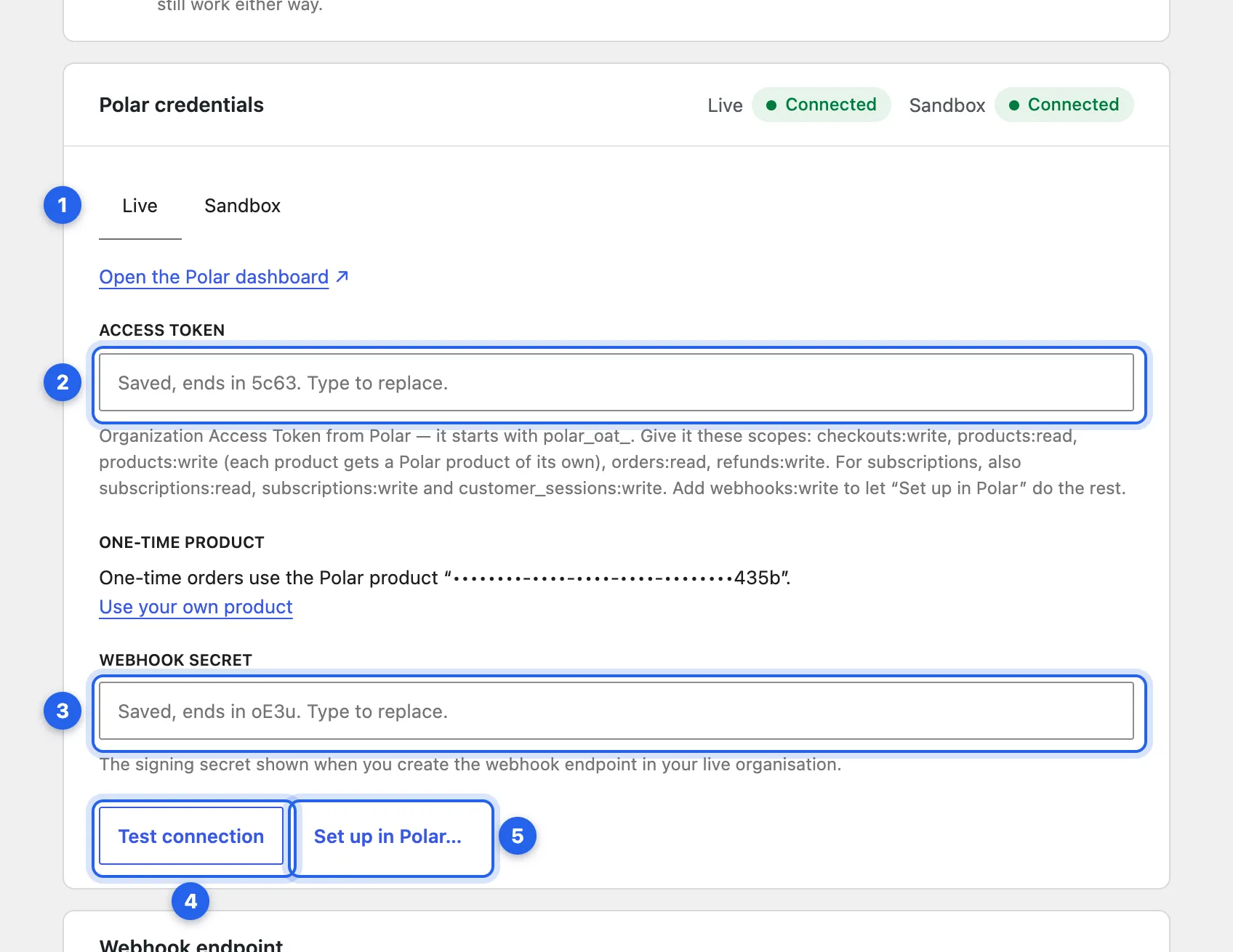
1 The Live tab (Sandbox is next to it). 2 Access token. 3 Webhook secret. 4 Test connection. 5 Set up in Polar, with the
webhooks:writescope. Saved secrets show only their last characters.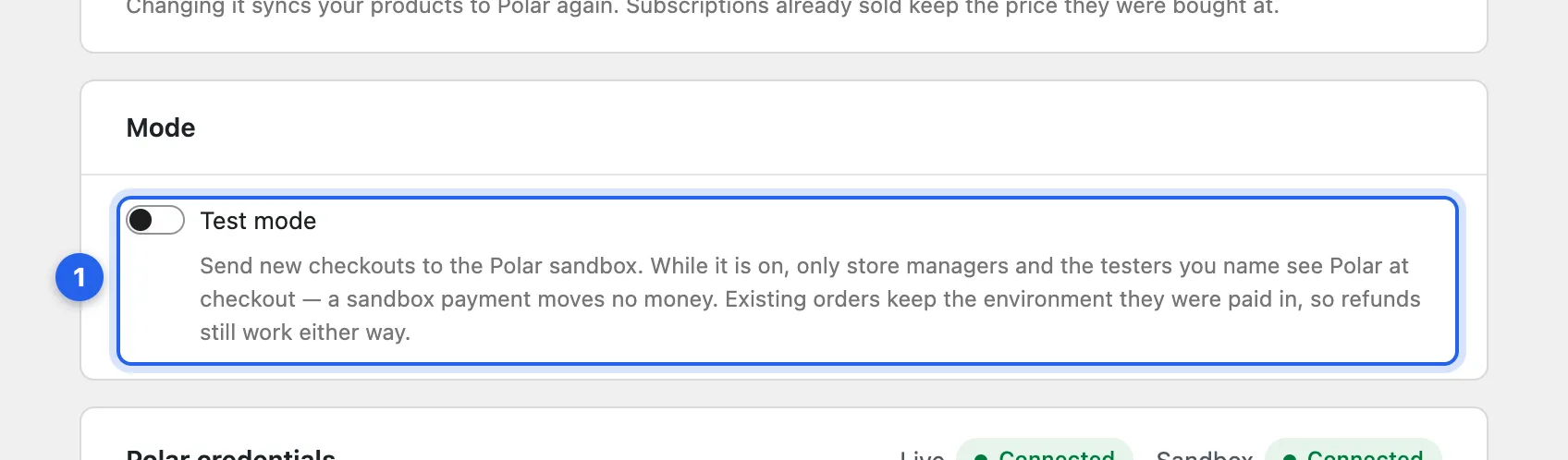
1 Test mode. Leave it on until a sandbox payment has gone through from start to finish.
-
Turn off WooCommerce taxes. Polar works out tax itself. See Tax and refunds.
-
Sync your products. Under Products in the plugin’s settings, use Sync all products once. After that, products sync when you save them.
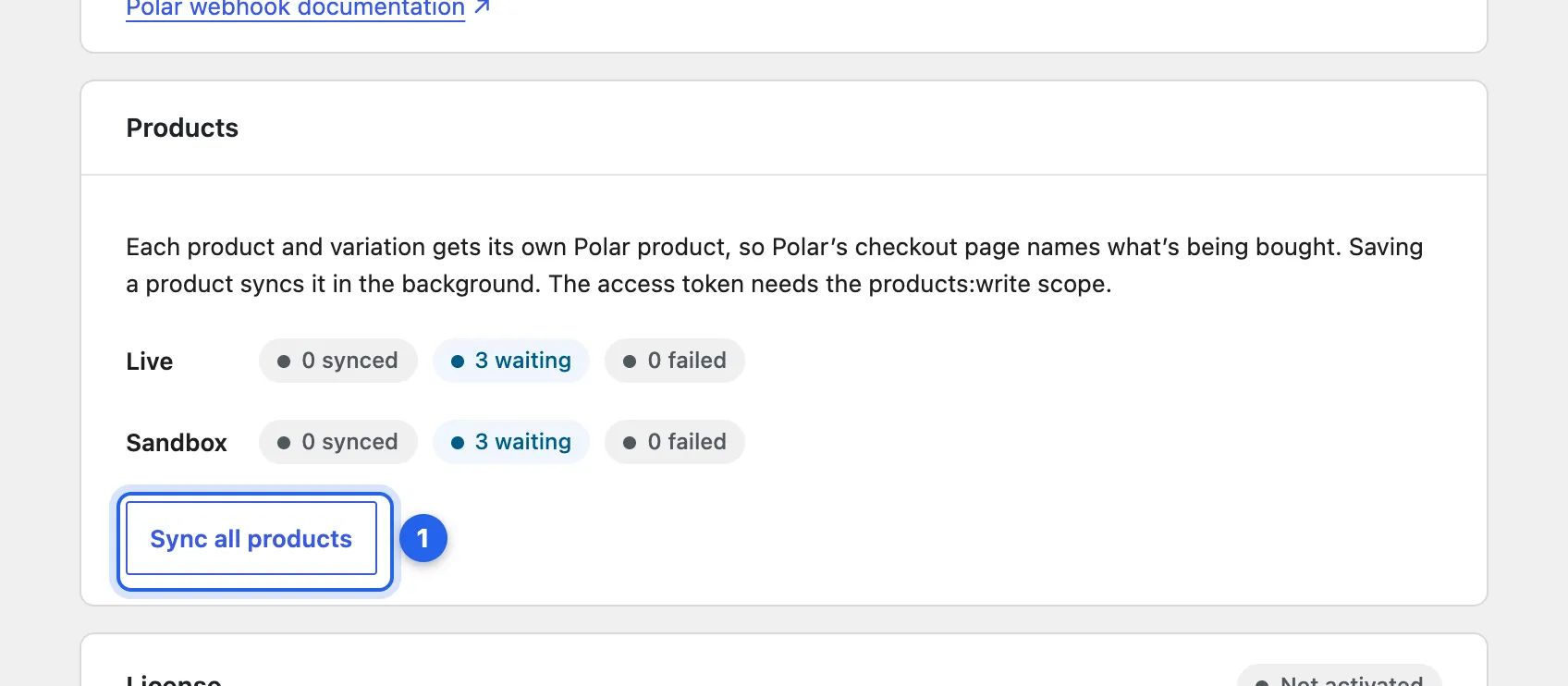
1 Sync all products. The counts show how many are synced, waiting or failed in each environment.
With the webhooks:write scope, Set up in Polar… on each environment’s tab creates the webhook endpoint and saves its secret.
The one-time product
Section titled “The one-time product”You don’t need to create a product in Polar. When you save a token, the plugin creates a private one-time product named after your store, such as “Acme order”. Polar’s checkout page shows that name when a one-time order holds several products.
To use a product of your own instead, choose Use your own product and paste its ID. It must be a one-time product, not a subscription. Test connection warns you if the product has benefits in Polar, which every order would hand out, or required custom fields, which shoppers would have to fill in before paying.
Product sync
Section titled “Product sync”Every product and variation with a price gets a Polar product of its own, in each environment, so Polar’s checkout page names what the shopper is buying. A one-time order for several products uses the one-time product. Syncing happens in the background when you save a product and never slows saving down; a failure shows on the product’s Polar tab and in WooCommerce › Status › Logs.
Enter your license key
Section titled “Enter your license key”In WooCommerce › Settings › Payments › Polar.sh, in the License card at the bottom. See Activate a key.
Checked against Payments via Polar for WooCommerce 1.2.3 on main, 19 October 2026.