

Set up Payments via Polar for EDD
-
Install and activate Easy Digital Downloads 3.3 or later, then this plugin.
-
Create an Organization Access Token in Polar, under Settings › Developers, with the scopes
checkouts:write,products:read,products:write,orders:read,refunds:writeandwebhooks:write. The last one lets the plugin set up the webhook for you. Do the same in your sandbox organization at sandbox.polar.sh: it’s completely separate. -
Enter both tokens in Downloads › Settings › Payments › Polar, under Live and Sandbox (test mode), and save.
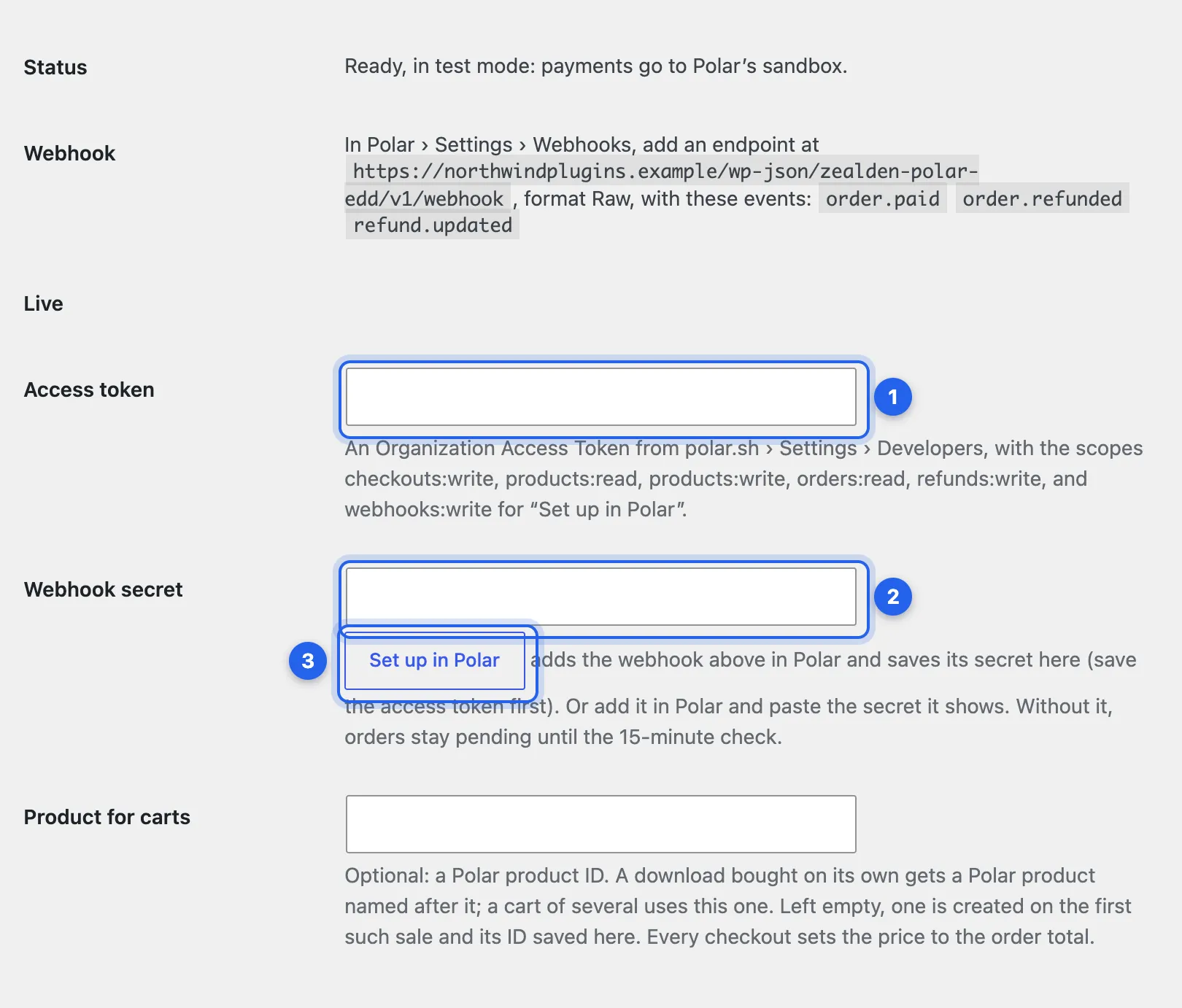
1 Access token. 2 Webhook secret. 3 Set up in Polar. The Status line at the top says what, if anything, stops Polar from showing at checkout; the Webhook line gives the address and events Polar needs.
-
Add the webhook. Click Set up in Polar under each Webhook secret: it adds the webhook in Polar and saves its secret. Or add it by hand: see Webhooks. Polar isn’t offered at checkout until the mode in use has a token and a webhook secret.
-
Turn the gateway on. Under Downloads › Settings › Payments › General, switch on Polar under Active Gateways.
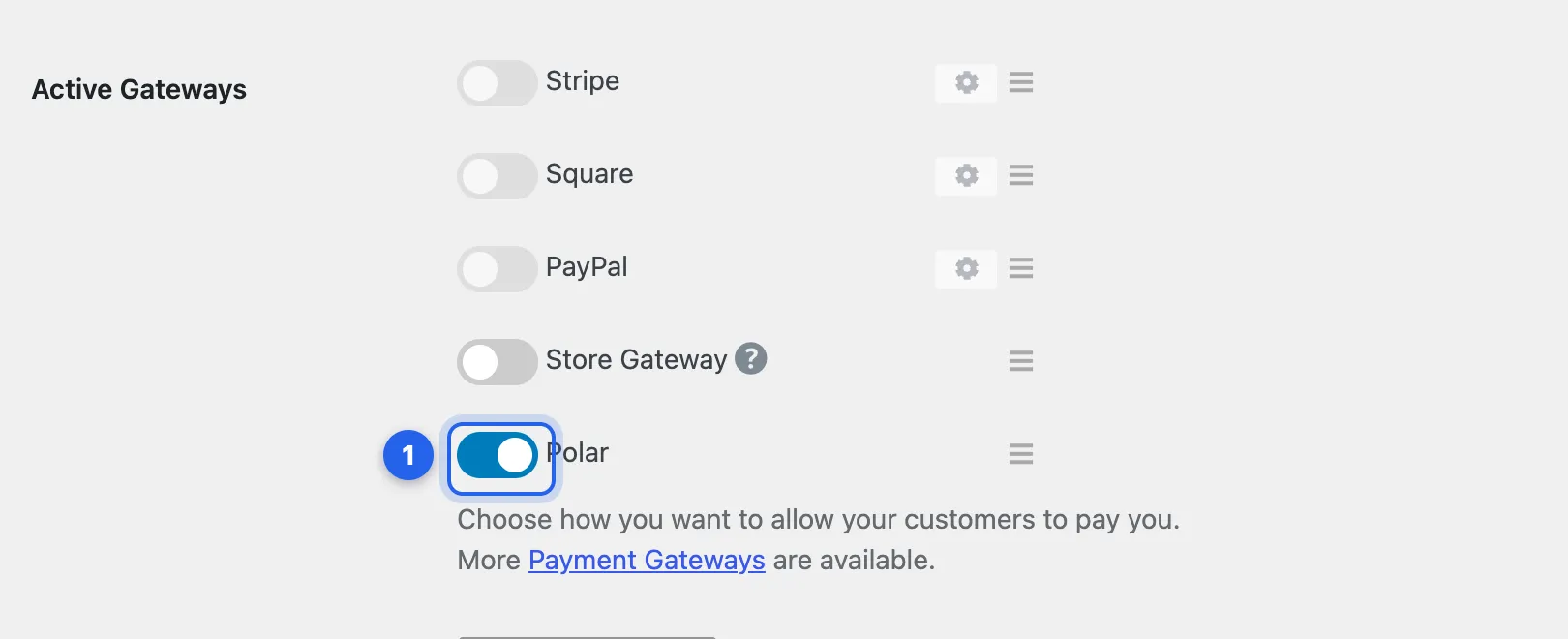
1 Polar, switched on.
-
Take a test purchase. With EDD’s test mode on, buy a download with one of Polar’s test cards and check the order completes. See Test mode. When it works, turn test mode off.
-
Turn off EDD’s own taxes, under Downloads › Settings › Taxes. Polar works out the tax. See Tax and refunds.
The other settings
Section titled “The other settings”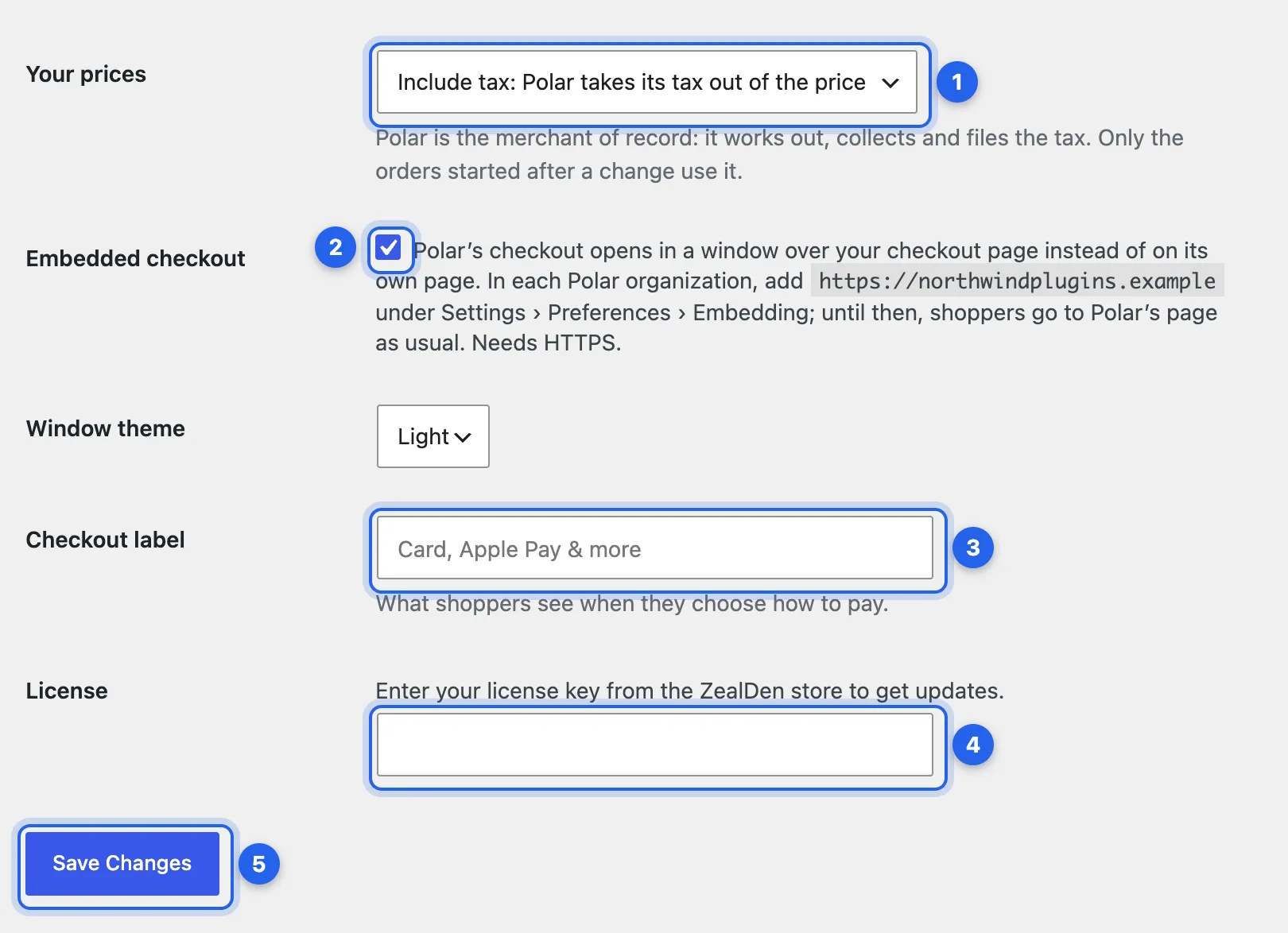
1 Your prices: whether your prices include tax or Polar adds it. 2 Embedded checkout: Polar’s window over your checkout page; see Embedded checkout. 3 Checkout label: what shoppers see when they choose how to pay, “Card, Apple Pay & more” unless you change it. 4 License: your key from the ZealDen store, activated when you save. 5 Save Changes.
Products in Polar
Section titled “Products in Polar”You don’t create anything in Polar yourself. The first time a download sells on its own, the plugin creates a private Polar product named after it and its price option, such as “Rocket Plugin – 5 sites”, so Polar’s checkout page and receipt show what was bought. It’s renamed when you rename the download. A cart of several downloads uses one shared product, created on the first such sale and saved under Product for carts, where you can enter your own instead. Every checkout sets the price to the EDD order total, so prices are never copied to Polar.
Checked against Payments via Polar for Easy Digital Downloads 1.0.0 on main, 19 October 2026.